|
| Home > Apache Geronimo v2.2 > Documentation > Developing > Tutorials > Developing Web services > Developing a simple Calculator Web service |
This tutorial will walk you through building and developing the JAX-WS calculator that ships with the samples package for Geronimo. After completing this tutorial, you should be able to understand how to build simple Web services with Apache Geronimo
using the Eclipse development environment.
To run this tutorial, as a minimum you will be required to have installed the following prerequisite software.
| Geronimo version 2.2, Java 1.6 runtime, and Eclipse Ganymede are used is used in this tutorial but other versions can be used instead (for example, Geronimo version 2.1, Java 1.5, Eclipse Europa) |
Details on installing eclipse are provided in the Development environment section. This tutorial is organized in the following sections:
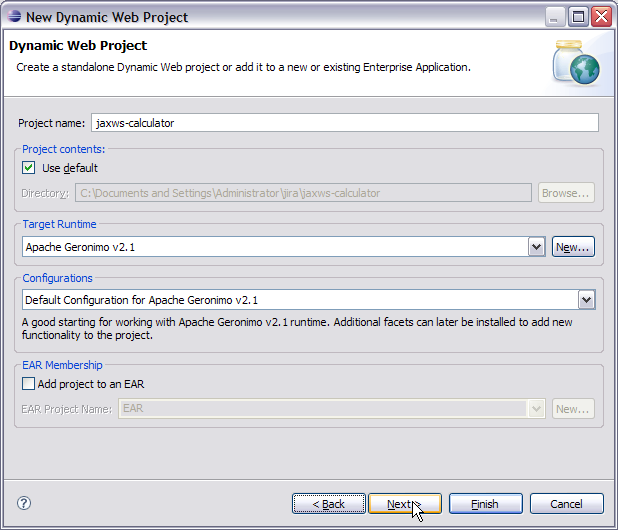
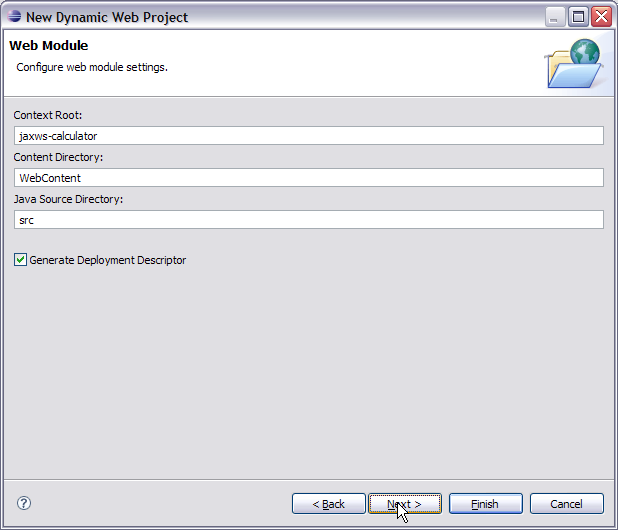
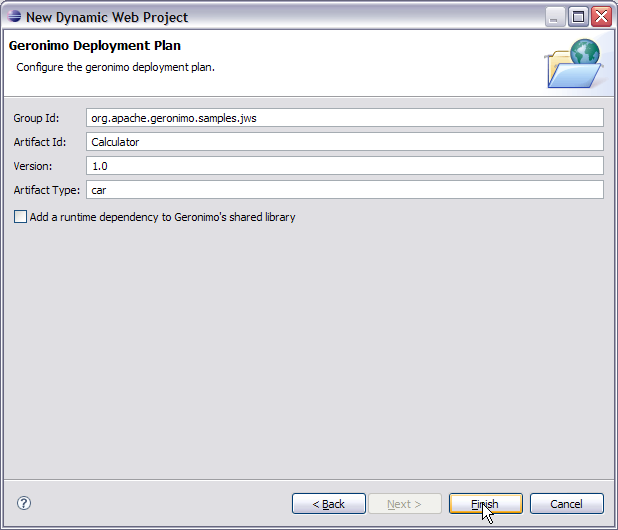
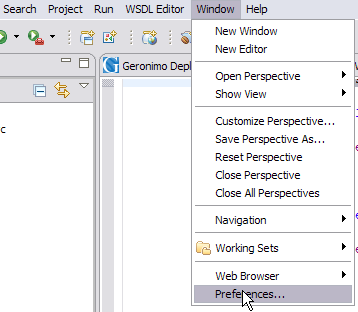
Useful Information
|

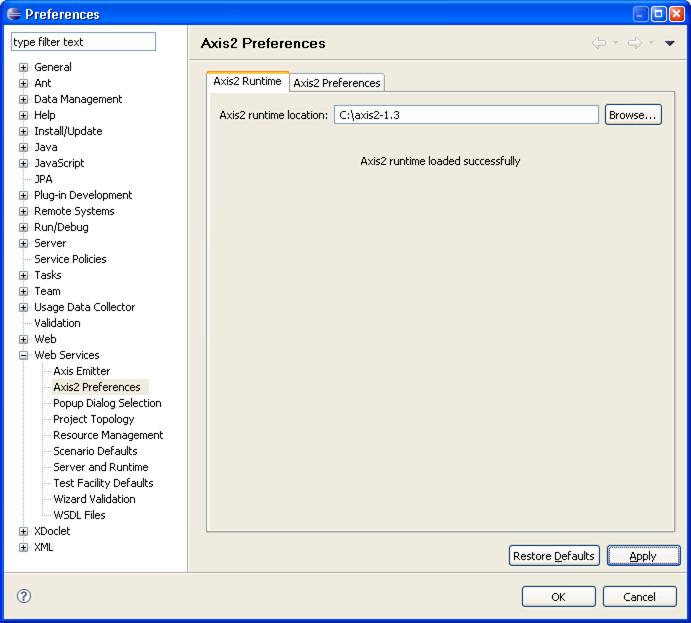
| Useful Information A separate Axis2 runtime is required for use by the Eclipse Axis2 project facet. You can use the pre-integrated Axis2 1.4 binaries (axis-1.4.jar) from the local Geronimo repository under <Geronimo_home>/repository/axis/axis/1.4 |

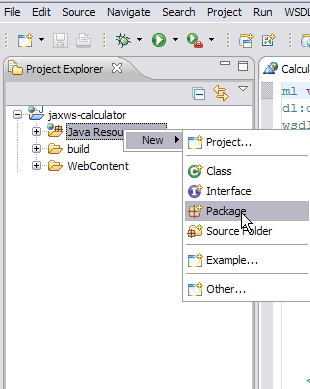
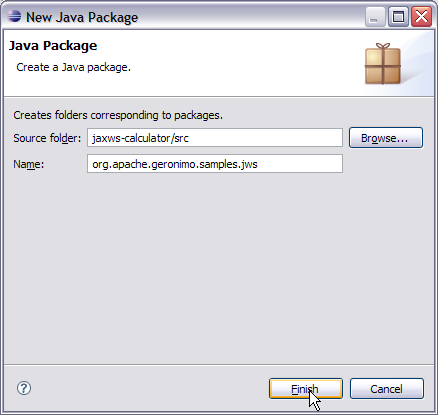
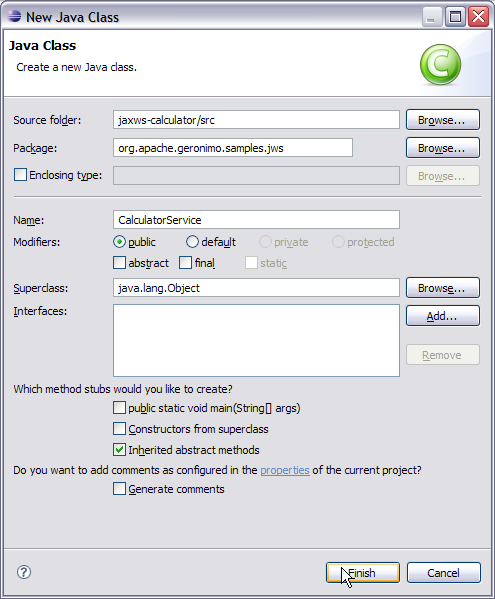
To implement the Calculator Web service we are going to create a package called org.apache.geronimo.samples.jws. This package will contain two classes: a Calculator interface, and a CalculatorService which implements the Calculator interface. Let's go step by step with creating the package, interface class and implementation class.
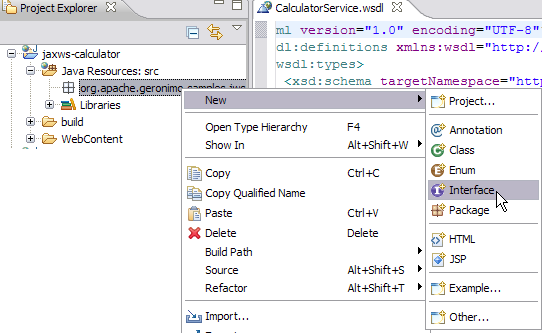
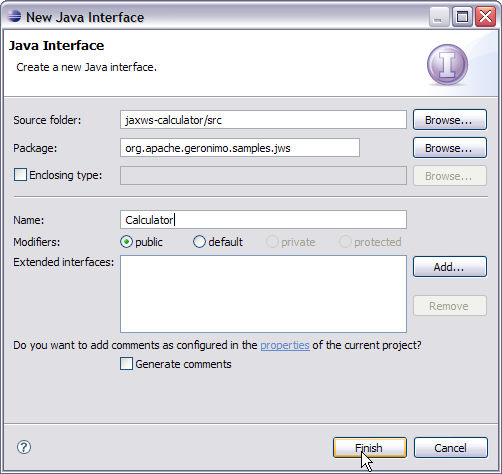
package org.apache.geronimo.samples.jws; import javax.jws.WebService; import javax.jws.WebMethod; import javax.jws.WebParam; @WebService(name="CalculatorPortType", targetNamespace = "http://jws.samples.geronimo.apache.org") public interface Calculator { @WebMethod public int add(@WebParam(name = "value1") int value1, @WebParam(name = "value2") int value2); }

package org.apache.geronimo.samples.jws; import javax.annotation.Resource; import javax.jws.WebService; import javax.xml.ws.WebServiceContext; @WebService(serviceName = "Calculator", portName="CalculatorPort", endpointInterface = "org.apache.geronimo.samples.jws.Calculator", targetNamespace = "http://jws.samples.geronimo.apache.org" ) public class CalculatorService implements Calculator { @Resource private WebServiceContext context; public int add(int value1, int value2) { System.out.println("User Principal: " + context.getUserPrincipal()); return value1 + value2; } }
Let us try to understand each annotation.
This completes the development of the Web Service Implementation code.
Geronimo provides a new jaxws-tools.bat which helps in generating the WSDL file from service endpoint interface.
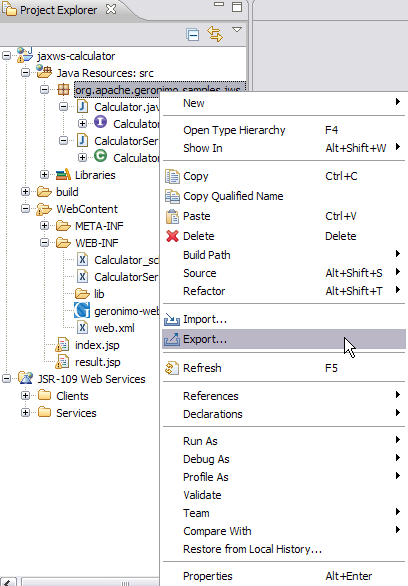
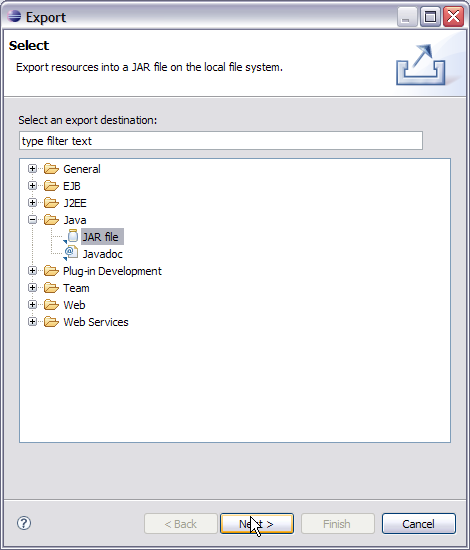
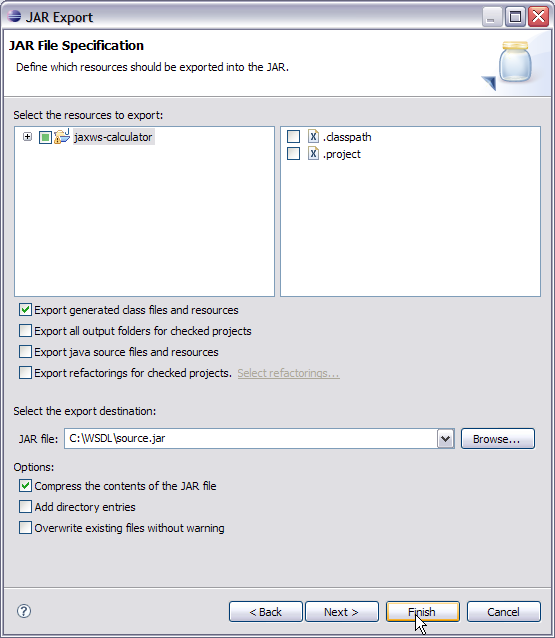
Administrator@T60J9:/> jaxws-tools.bat wsgen -classpath C:/WSDL/source.jar -d C:/WSDL/ -wsdl:soap1.1 org.apache.geronimo.samples.jws.CalculatorService
In this command -classpath is used to set the source.jar exported from Eclipse in the classpath, -d defines the location where all the generated artifacts will be placed, -wsdl:soap1.1 suggests a WSDL generation following soap1.1 protocol, and org.apache.geronimo.samples.jws.CalculatorService is the SEI used to generate the WSDL.
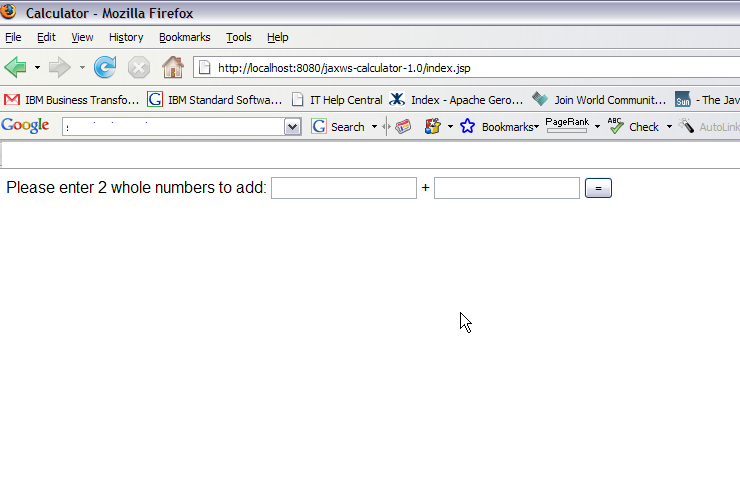
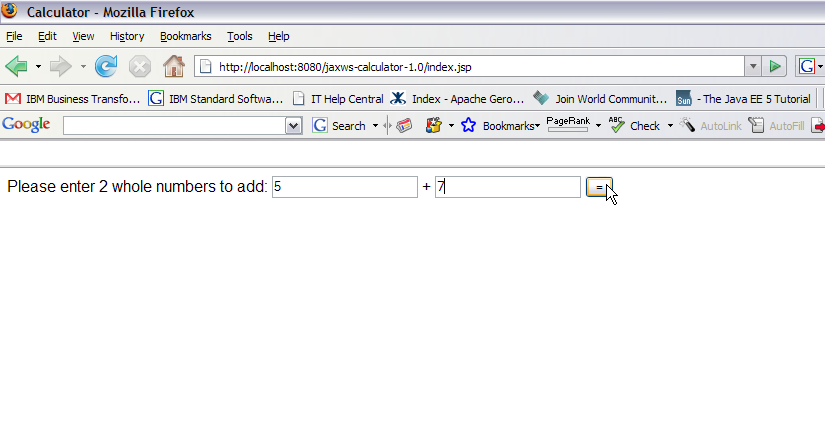
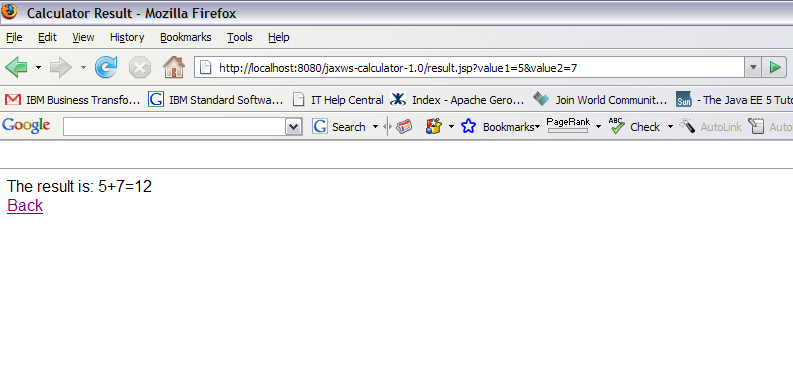
This section will take you through the creation of two JSP's: index.jsp and result.jsp. index.jsp will prompt the user to enter two whole number values to add together. After submitting the form, the action will be forwarded to the result.jsp, which will call the Calculator Web Service.
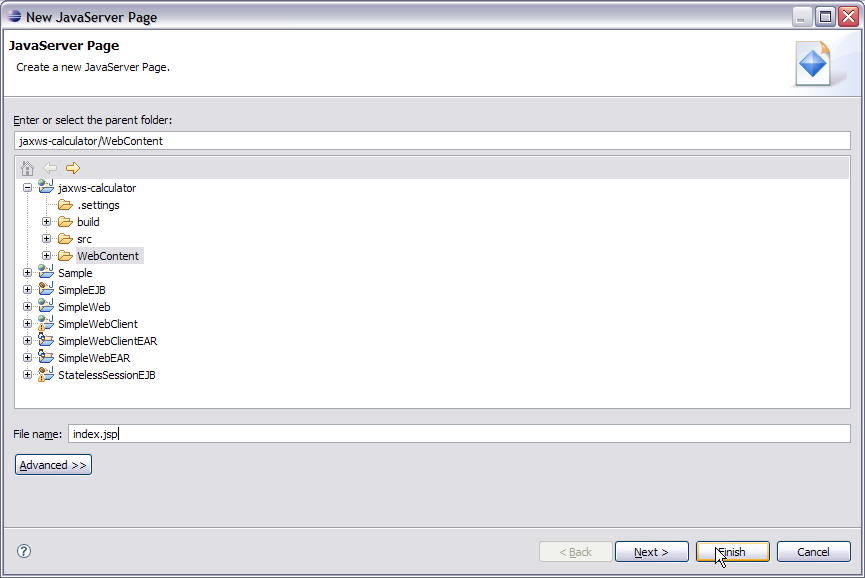
<%@ page import="java.net.URL,javax.xml.namespace.QName,javax.xml.ws.Service,org .apache.geronimo.samples.jws.Calculator"%> <html xmlns="http://www.w3.org/1999/xhtml" xml:lang="en"> <head> <title>Calculator</title> </head> <body> <form action="result.jsp"> Please enter 2 whole numbers to add: <input type="text" name="value1"> + <input type="text" name="value2"> <input type="submit" value="="> </form> </body> </html>
<%@ page import="java.net.URL,javax.xml.namespace.QName,javax.xml.ws.Service,org .apache.geronimo.samples.jws.Calculator"%> <html xmlns="http://www.w3.org/1999/xhtml" xml:lang="en"> <head> <title>Calculator Result</title> </head> <% int value1 = 0; int value2 = 0; int sum = 0; try { System.out.println( request.getParameter( "value1" ) + " " + request.getParameter( "value2" ) ); value1 = Integer.parseInt( request.getParameter( "value1" ) ); value2 = Integer.parseInt( request.getParameter( "value2" ) ); URL url = new URL("http://localhost:8080/jaxws-calculator- 1.0/calculator?wsdl"); QName qname = new QName("http://jws.samples.geronimo.apache.org", "Calculator"); Service service = Service.create(url, qname); Calculator calc = (Calculator)service.getPort(Calculator.class); sum = calc.add(value1, value2); } catch ( Exception e ) { e.printStackTrace(); } %> <body> The result is: <%=value1%>+<%=value2%>=<%=sum%> <br> <a href="index.jsp">Back</a> </body> </html>
This finishes the development of Web client.
<?xml version="1.0" encoding="UTF-8"?> <web-app xmlns:calc="urn:geronimo-samples-jws" xmlns="http://java.sun.com/xml/ns/javaee" version="2.5"> <servlet> <display-name>CalculatorService</display-name> <servlet-name>CalculatorService</servlet-name> <servlet-class> org.apache.geronimo.samples.jws.CalculatorService </servlet-class> </servlet> <servlet-mapping> <servlet-name>CalculatorService</servlet-name> <url-pattern>/calculator</url-pattern> </servlet-mapping> <service-ref> <service-ref-name>services/Calculator</service-ref-name> <service-interface>javax.xml.ws.Service</service-interface> <wsdl-file>WEB-INF/CalculatorService.wsdl</wsdl-file> </service-ref> </web-app>
<?xml version="1.0" encoding="UTF-8"?> <web:web-app xmlns:dep="http://geronimo.apache.org/xml/ns/deployment-1.2" xmlns:conn="http://geronimo.apache.org/xml/ns/j2ee/connector-1.2" xmlns:name="http://geronimo.apache.org/xml/ns/naming-1.2" xmlns:ejb="http://openejb.apache.org/xml/ns/openejb-jar-2.2" xmlns:pkgen="http://openejb.apache.org/xml/ns/pkgen-2.1" xmlns:app="http://geronimo.apache.org/xml/ns/j2ee/application-2.0" xmlns:sec="http://geronimo.apache.org/xml/ns/security-2.0" xmlns:web="http://geronimo.apache.org/xml/ns/j2ee/web-2.0.1" xmlns:pers="http://java.sun.com/xml/ns/persistence" xmlns:client="http://geronimo.apache.org/xml/ns/j2ee/application-client-2.0"> <dep:environment> <dep:moduleId> <dep:groupId>org.apache.geronimo.samples.jws</dep:groupId> <dep:artifactId>Calculator</dep:artifactId> <dep:version>1.0</dep:version> <dep:type>car</dep:type> </dep:moduleId> <dep:dependencies> </dep:dependencies> </dep:environment> <context-root>/jaxws-calculator-1.0</context-root> <service-ref> <service-ref-name>services/Calculator</service-ref-name> <port> <port-name>CalculatorPort</port-name> <protocol>http</protocol> <host>localhost</host> <port>8080</port> <uri>/jaxws-calculator/calculator</uri> </port> </service-ref> </web:web-app>


|
|
Privacy Policy - Copyright © 2003-2011, The Apache Software Foundation, Licensed under ASL 2.0. |